How to Opt In to Texting
TeamCare’s texting program offers a simple and convenient way to receive important updates about your benefits and account activity. Text messages help you stay informed without needing to log in for every update.
Participation is optional, and you are always in control of your preferences.
What You’ll Receive
Members who opt in to TeamCare’s text messages will receive notifications related to:
- benefit status and eligibility updates
- important informational announcements
- enrollment information
- new or enhanced website features
- account security notifications, including two-factor authentication
NOTE: TeamCare will never ask for sensitive personal information, such as your Social Security number, password, or full banking details, via text message.
How to Sign Up for TeamCare Text Messages
Signing up is quick and easy!
Option 1: Sign Up Through MyTeamCare.org
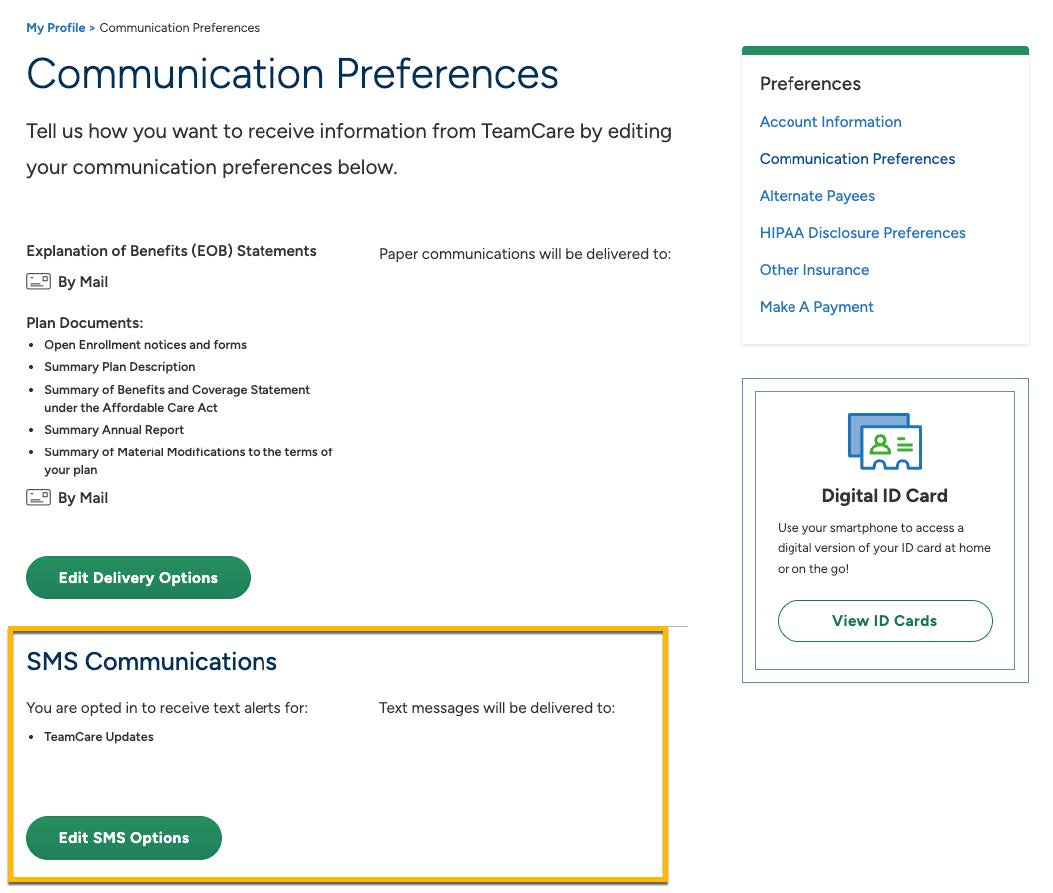
You can opt-in for SMS right from the SMS Communications Preferences page.
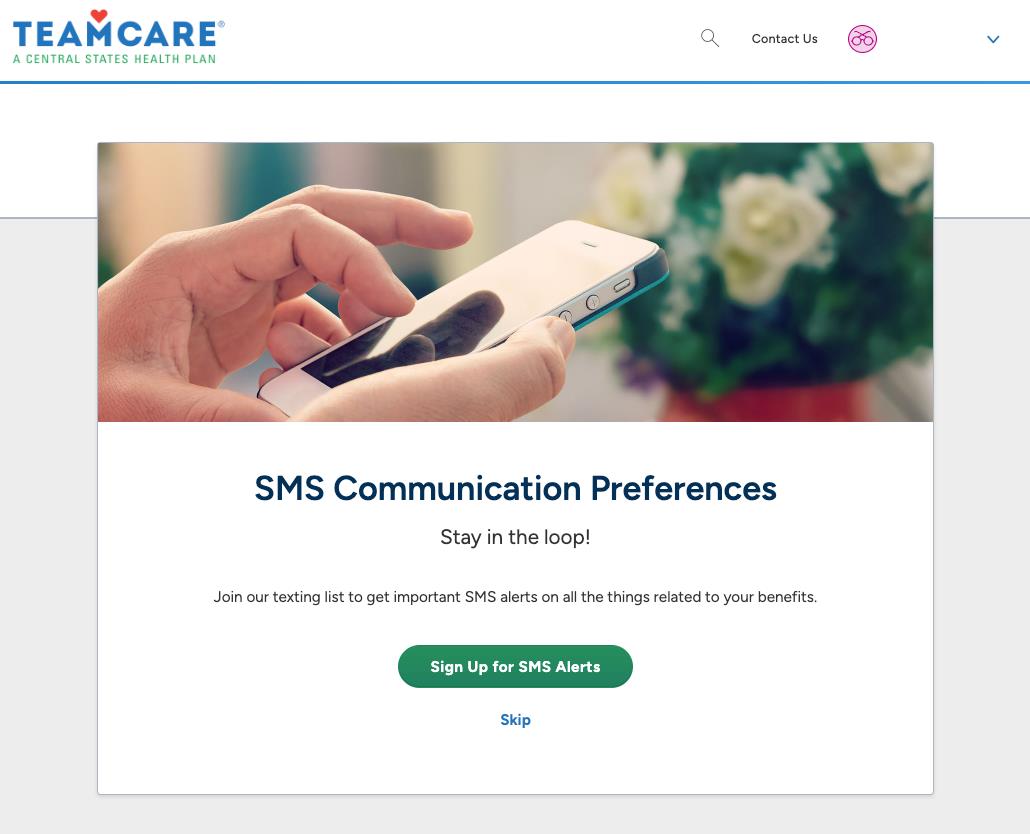
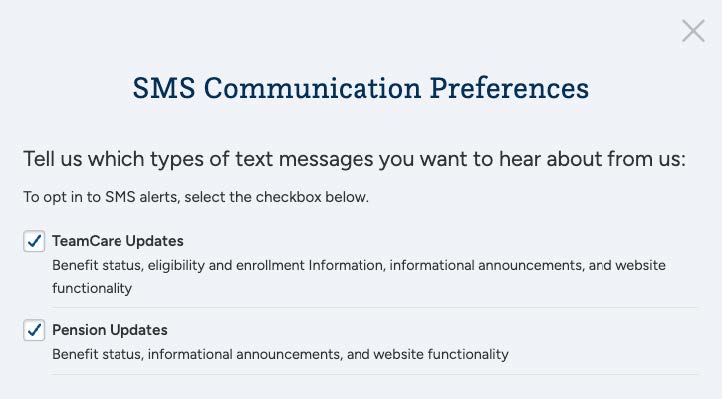
Select the types of text messages you would like to receive.
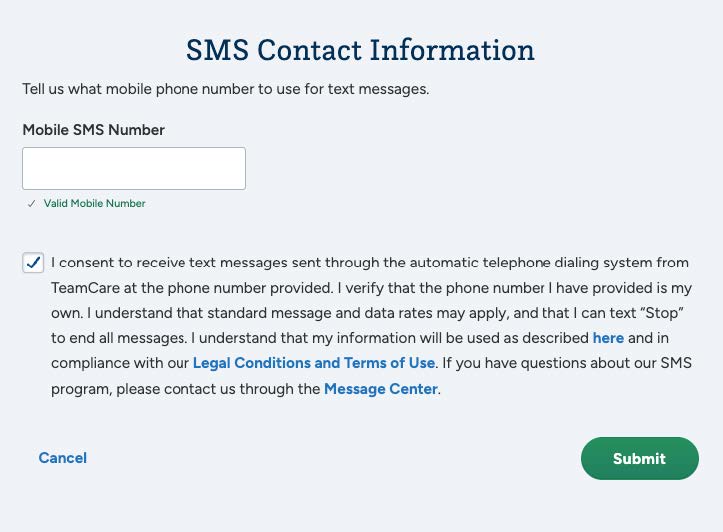
Confirm your mobile phone number and review the consent language.
Once enrolled, you’ll receive a confirmation text and begin receiving messages based on your selected preferences.
Option 2: Sign Up Using a Short Code (Coming Soon)
You may also see short codes shared on TeamCare communications. Short codes allow you to opt in by sending a simple response from your mobile phone. Instructions will be provided when short codes are used.
Two-Factor Authentication (2FA)
TeamCare uses text messaging to support a more secure login experience through two-factor authentication (2FA). When enabled, 2FA adds an extra layer of protection to your account by sending a one-time verification code to your mobile phone after you enter your password.
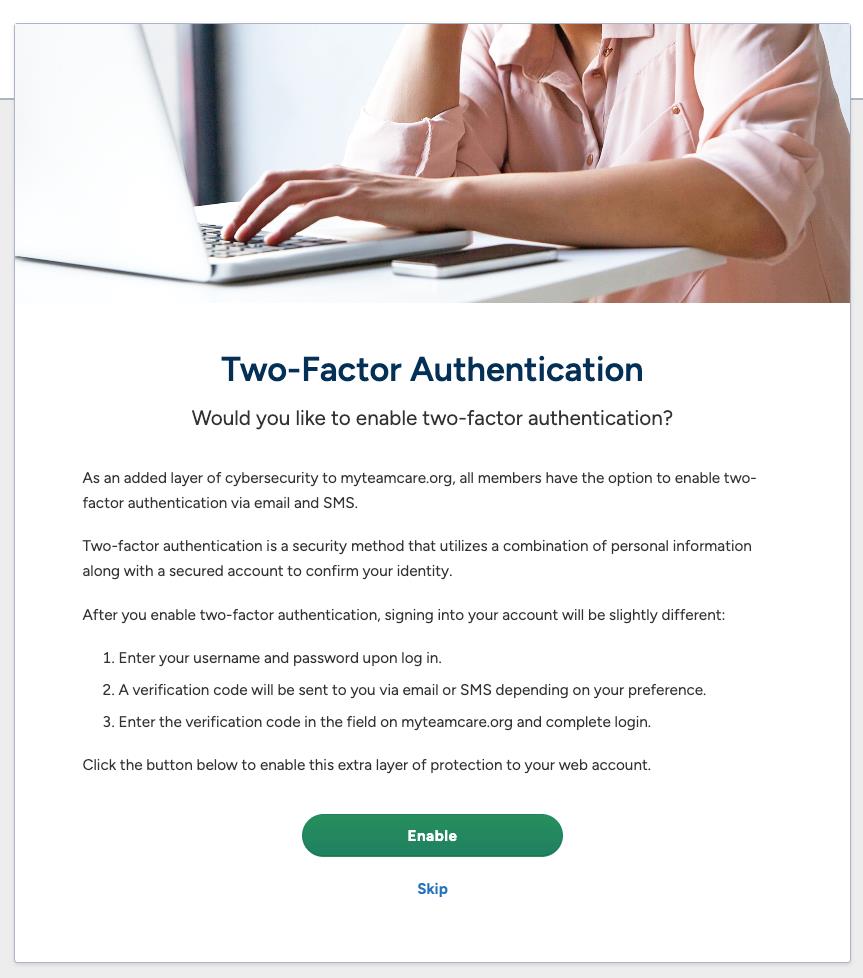
This additional step helps prevent unauthorized access and keeps your personal information secure. You can manage your security settings, including two-factor authentication, within your MyTeamCare.org account.
How to Recognize Official TeamCare Text Messages
To help protect you from fraudulent messages, TeamCare sends text messages only from approved phone numbers and short codes.
Official TeamCare text messages will come from:
- TeamCare – (708) 401-9273
- Central States Pension Fund – (708) 401-6734
If you receive a message claiming to be from TeamCare that does not come from one of these numbers, do not respond.
How to Manage Your Texting Preferences
You can update your SMS preferences at any time under Communication Preferences on the My Profile page.
You can opt out of text messages at any time by following the instructions included in each message.
Standard messaging and data rates may apply.
Have a Question?
If you have questions about TeamCare’s texting program or need assistance enrolling, contact us through the Message Center or call us at 1-800-TEAMCARE (1-800-832-6227).